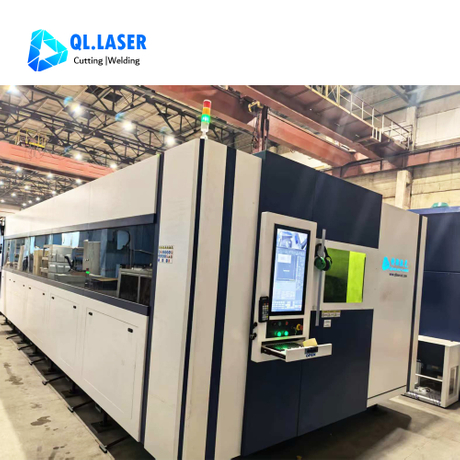
When you buy a Sheet Metal Laser Cutting Machine, you need to check more than just the specs. Look at these 10 essential factors:
Laser power
Cutting speed
Precision and accuracy
Laser source type
Workbed size
Material compatibility
Automation and software
Safety features
Reliability and support
Total cost of ownership
Skipping these checks can cause real problems. Here are some common risks:
Risk Type | Description |
Dependency on Single-Source Consumables | Manufacturers may become reliant on proprietary parts, leading to increased costs and limited options. |
Lack of Training for Operators | Insufficient training can result in operational errors, increased downtime, and equipment wear. |
Neglecting Critical Infrastructure Requirements | Overlooking necessary infrastructure can hinder machine performance and efficiency. |
Use this list to make smart, safe choices.
Key Takeaways
Evaluate laser power to ensure it meets your cutting needs. Higher power allows for faster cutting and handling of thicker materials.
Consider cutting speed as it directly impacts production efficiency. A faster machine helps you complete more jobs in less time.
Check precision and accuracy to guarantee high-quality cuts. This reduces the need for rework and ensures parts fit together correctly.
Assess the machine's material compatibility. Ensure it can handle the types and thicknesses of metals you plan to work with.
Review the total cost of ownership. Factor in initial costs, maintenance, and operational expenses to avoid unexpected financial burdens.
1. Laser Power
Laser power stands as one of the most important factors when you choose a Sheet Metal Laser Cutting Machine. The right power level helps you cut materials faster and handle thicker sheets with ease.
Cutting Speed Impact
Laser power directly affects how quickly you can cut metal sheets. Higher power means you finish jobs faster. If you run a busy workshop, you need a machine that keeps up with demand. For example, a 6 kW laser can cut stainless steel much faster than a 1.5 kW laser. You save time and boost productivity.
Tip: Choose a machine with enough power to match your production goals. If you cut thick or tough metals often, higher power will help you avoid delays.
Material Thickness Capability
The power of your laser also decides what thickness and types of metal you can cut. Lower power lasers work well for thin sheets, but you need more power for thicker or reflective metals like aluminum and copper.
Take a look at the table below to see how laser power matches up with different materials and thicknesses:
Laser Power | Stainless Steel | Aluminum |
1.5 kW | 3 mm | 2 mm |
3 kW | 8 mm | 6 mm |
6 kW | 15 mm | 12 mm |
12 kW | 30 mm | 25 mm |
40 kW | 40 mm | 30 mm |
You can also see the recommended power for aluminum and stainless steel sheets in this chart:
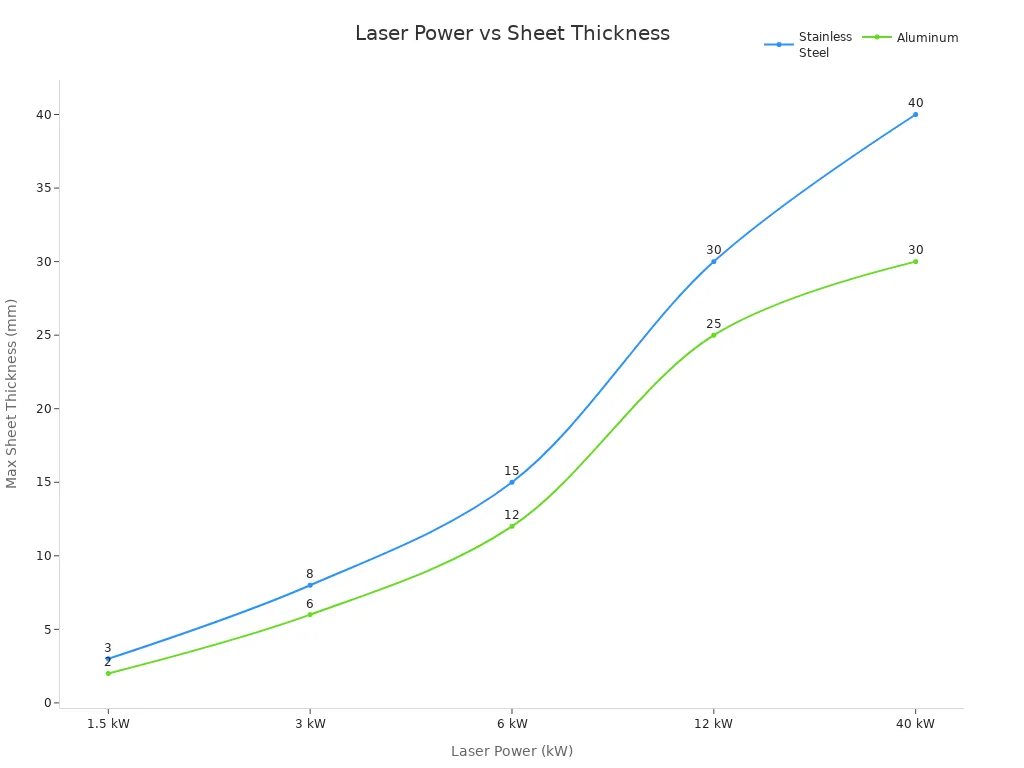
For mild steel, you can cut thicker sheets with lower power. Metals like gold and silver need much higher power because they reflect and conduct heat easily.
Here is a quick summary:
Higher laser power lets you cut thicker materials.
Aluminum and copper need more power for clean cuts.
Mild steel and stainless steel are easier to cut, even at greater thicknesses.
When you pick a Sheet Metal Laser Cutting Machine, check the power rating. Make sure it fits the types and thicknesses of metal you plan to cut.
2. Cutting Speed
Production Efficiency
Cutting speed plays a big role in how fast you finish jobs. When you use a Sheet Metal Laser Cutting Machine, you want to complete each project quickly. Faster cutting speed means you can handle more orders in less time. This helps you meet deadlines and keep your customers happy.
Here are some ways cutting speed boosts your production efficiency:
You reduce the time spent on each sheet.
You can schedule more jobs in a single shift.
You lower the risk of bottlenecks in your workflow.
Tip: Always check the maximum and average cutting speeds listed by the manufacturer. These numbers show how well the machine will perform in real-world tasks.
Throughput Considerations
Throughput tells you how many parts or sheets you can process in a set time. High throughput means you get more finished products out the door. When you look at cutting speed, think about how it affects your daily output.
Consider these points when you evaluate throughput:
Material Type: Some metals cut faster than others. For example, mild steel usually cuts faster than stainless steel.
Sheet Thickness: Thicker sheets take longer to cut. Make sure the machine can keep up with your needs.
Complexity of Design: Simple shapes cut faster. Detailed patterns slow down the process.
You can use this simple table to compare how cutting speed affects throughput:
Cutting Speed (m/min) | Sheets Cut per Hour |
10 | 5 |
20 | 10 |
30 | 15 |
If you want to grow your business, choose a machine with a cutting speed that matches your production goals. This will help you stay competitive and efficient.
3. Precision and Accuracy
Quality of Cuts
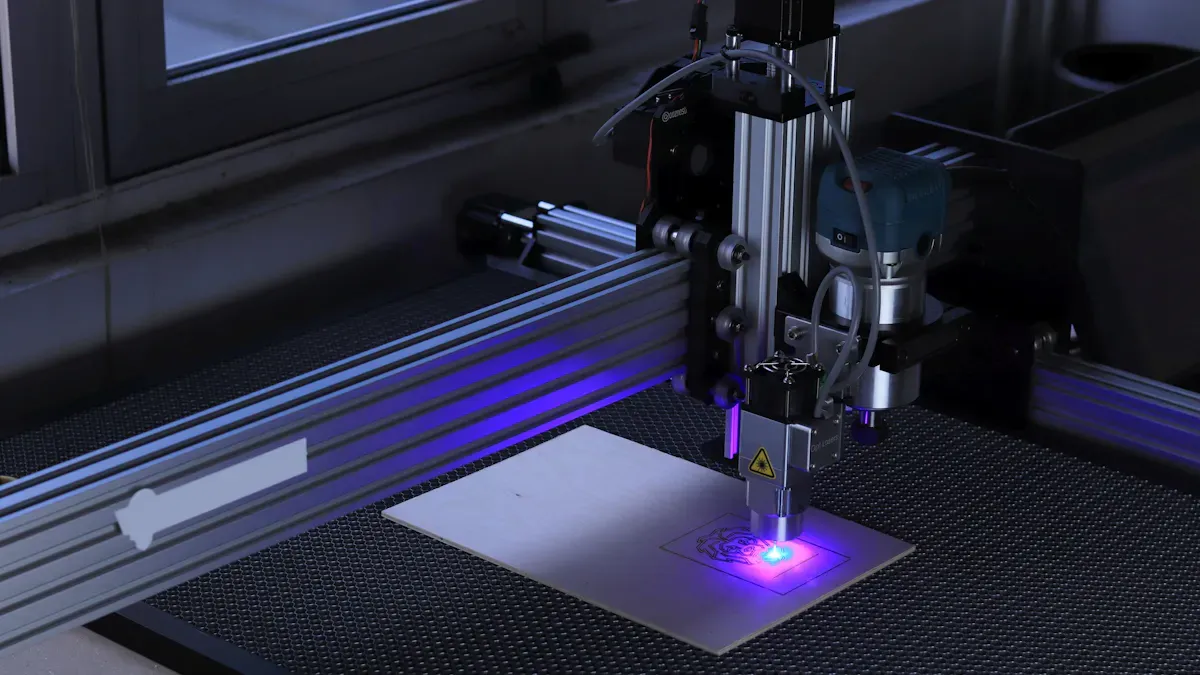
When you choose a Sheet Metal Laser Cutting Machine, you want every cut to be clean and smooth. High precision means your parts fit together perfectly and look professional. If your machine delivers accurate cuts, you avoid extra work like grinding or re-cutting. This saves you time and money.
Improved precision ensures your components meet exact specifications. This is critical for durability and accuracy.
Consistent precision reduces errors and keeps quality high across every production run.
Advanced machines, such as those with CNC controls, help you achieve repeatable results.
Tight tolerances require frequent checks with advanced measuring tools, so you know your parts are always right.
Note: High-precision machines help you deliver reliable products that perform well in real-world use.
Tolerance Requirements
Tolerance tells you how close your finished part is to the intended size. The tighter the tolerance, the more accurate your part. Most modern laser cutting machines can achieve tolerances in the range of ±0.005” to ±0.010”, depending on the material and thickness.
Here are some typical tolerance ranges:
Application Type | Typical Tolerance |
Standard Applications | ±0.1 mm to ±0.3 mm |
High-Precision Parts | ±0.05 mm |
Thick Materials | ±0.2 mm to ±0.5 mm |
Laser cutting usually achieves tolerances around ±0.1 mm, which is ideal for industries needing detailed parts.
For thicker materials, expect tolerances to be a bit looser.
If your project needs very tight tolerances, look for machines designed for high-precision work.
You should always match the machine’s tolerance capabilities to your project needs. This ensures your finished products meet industry standards and customer expectations.
4. Laser Source Type
Fiber vs CO2
You need to choose between fiber and CO2 lasers when you buy a Sheet Metal Laser Cutting Machine. Each type has its own strengths and weaknesses. Fiber lasers use a solid-state design. CO2 lasers use a gas mixture to create the beam.
Here is a quick comparison to help you decide:
Aspect | Fiber Laser | CO₂ Laser |
Energy Consumption | Consumes less electricity due to higher efficiency | Higher energy consumption |
Maintenance | Requires less routine servicing due to fewer optical components | Requires mirror and lens replacement and regular alignment |
Long-Term ROI | Stronger returns for high-volume production due to lower operating costs | Higher operating costs over time due to energy use and maintenance |
Fiber lasers give you lower energy bills and less downtime. You spend less time on maintenance because there are fewer parts to clean or replace. CO2 lasers need more care and use more power. If you plan to cut a lot of metal every day, fiber lasers can save you money in the long run.
Tip: Choose fiber lasers for high-volume jobs and lower operating costs. Pick CO2 lasers if you need to cut very thick materials.
Material Compatibility
You should match the laser type to the metals you want to cut. Fiber lasers work well for stainless steel, aluminum, brass, and copper. They handle reflective and hard-to-cut metals with ease. Fiber lasers perform best on metals that are 1/2 inch thick or less.
Fiber lasers are efficient for stainless steel, aluminum, brass, and copper.
They perform best on metals that are 1/2 inch thick or less.
CO2 lasers can cut most materials, especially thicker metals. If you need to cut sheets that are 10-20 mm or more, CO2 lasers are a good choice.
Here is a table to help you compare:
Laser Type | Best Suited Metals | Thickness Range |
CO2 Laser | Most materials, especially thicker metals | 10-20 mm or more |
Fiber Laser | Difficult-to-cut and reflective metals like titanium, brass, and aluminum | Optimal at 1/2 inch thick or less |
Think about the types of metal and the thickness you use most often. This will help you pick the right laser source for your needs.
5. Workbed Size
Sheet Size Accommodation
When you choose a Sheet Metal Laser Cutting Machine, you need to think about the size of the workbed. The workbed is the flat area where you place your metal sheets for cutting. Most industrial machines use a standard workbed size of 3015, which means 3000 mm by 1500 mm. This size matches the most common steel sheets and 1.5-meter-wide coils used in factories.
You can fit standard sheets without extra trimming.
The 3015 size lets you nest irregular parts more efficiently.
Better nesting means you use more of each sheet and waste less metal.
A workbed that fits standard sheets helps you save money. You can cut more parts from each sheet, which improves material utilization by 5–10%. This extra efficiency can help cover the cost difference between machines with different workbed sizes.
Production Flexibility
Workbed size also affects how flexible your production can be. If you often cut large parts or need to handle big projects, a larger workbed gives you more options. You can cut bigger sheets or even multiple smaller sheets at once.
Workbed Size (mm) | Sheet Size Supported | Material Utilization | Flexibility |
3015 | Standard (up to 1.5m x 3m) | High (5–10% better) | Good |
Larger | Oversized sheets | Varies | Excellent |
Keep in mind, larger workbeds can sometimes make it harder to keep cuts precise and fast. The machine may face more mechanical stress, which can affect accuracy. You should balance your need for flexibility with your need for precision.
Tip: Pick a workbed size that matches your most common sheet sizes. This helps you get the best mix of efficiency and flexibility for your shop.
6. Material Compatibility
Supported Metals
You need to check which metals your sheet metal laser cutting machine can handle. Not every machine works with all metals. Some machines cut only mild steel, while others can handle stainless steel, aluminum, copper, or brass. If you plan to work with different metals, you should pick a machine that supports a wide range.
Mild Steel: Most machines cut mild steel with ease. You can use it for many projects.
Stainless Steel: This metal needs more power. Make sure your machine can cut it cleanly.
Aluminum: Aluminum reflects light. You need a machine with the right laser type and enough power.
Copper and Brass: These metals reflect even more light. Only some machines can cut them well.
Tip: Always check the manufacturer's list of supported metals before you buy. This helps you avoid costly mistakes.
Thickness Range
You should also look at the thickness range your machine can cut. Some machines cut only thin sheets. Others can handle thick plates. The right choice depends on your projects.
Here is a table that shows the maximum and minimum thickness for common metals:
Material | Maximum Thickness | Minimum Thickness |
Mild Steel | 30mm | 1mm |
Stainless Steel | 25mm | 1mm |
Aluminum | 25mm | 1mm |
Copper | 12mm | 1mm |
Brass | 8mm | 1mm |
You can see that most machines start at 1mm for all metals. The maximum thickness changes by material. Mild steel allows the thickest cuts. Brass has the lowest maximum.
If you cut thick steel plates, choose a machine with high power.
For thin, detailed parts, make sure the machine can handle small thicknesses.
If you work with many metals, pick a machine with a wide thickness range.
Note: Picking the right machine for your metal types and thicknesses helps you get clean cuts and avoid machine damage.
7. Automation and Software
Control System Usability
When you use a Sheet Metal Laser Cutting Machine, the control system should feel simple and clear. Easy-to-use software helps you set up jobs quickly and reduces mistakes. If the interface looks confusing or outdated, you might waste time or make errors. Modern machines often use touchscreens and visual guides. These features help you learn the system faster and keep your work consistent.
Tip: Always check if the software offers good support and regular updates. This keeps your machine running smoothly and protects your investment.
You should also look for these benefits:
Quick job setup with clear menus.
Visual feedback for each step.
Help menus or tutorials built into the system.
If the software feels hard to use, your team may need extra training. This can slow down your production and increase costs.
Integration and Efficiency
Automation and software integration make your shop more efficient. Automated systems let you cut parts faster and with less manual work. You save money on labor and reduce the chance of mistakes. High-speed operation and non-contact cutting mean you avoid tool wear and downtime.
Here are some ways automation boosts your results:
Complete tasks in one pass with little human help.
Lower labor costs by reducing manual steps.
Minimize post-processing with precise cuts.
Smart software also connects with other systems in your factory. This helps you track jobs and manage data. Look for these important software features:
Feature | Description |
Compatibility with ERP and MES | Connects with business systems to reduce manual data entry. |
Broad-spectrum file compatibility | Accepts many design formats for easy file sharing. |
Built-in graphic repair tools | Fixes design errors quickly. |
Intelligent CAM core algorithms | Plans cutting paths for better speed and quality. |
Software compatibility with machines | Works with your current controllers and systems. |
Team training needs | Offers training to keep your team skilled. |
Customization and flexibility | Lets you adjust workflows for your needs. |
Accuracy and reliability | Delivers precise and dependable results. |
Software updates and longevity | Stays current with regular updates. |
Note: Outdated or complex software can slow you down and cause costly errors. Always test the interface and ask about support before you buy.
8. Safety Features in Sheet Metal Laser Cutting Machine
Built-In Protections
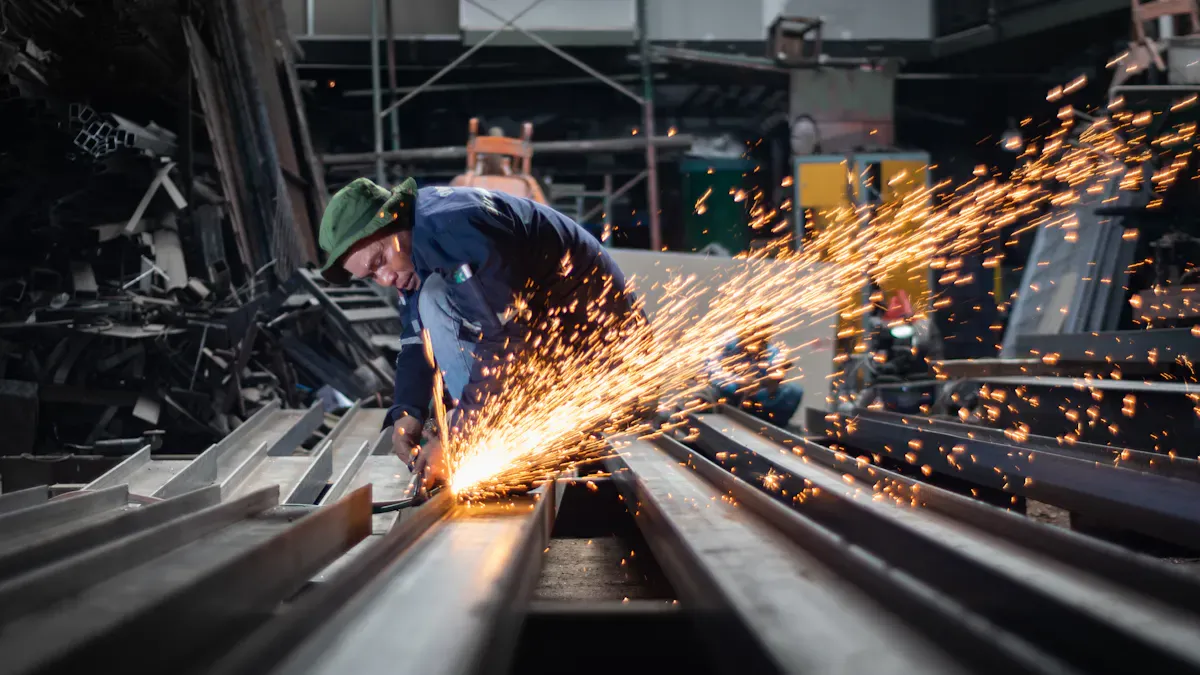
Safety features protect you and your team from accidents and injuries. You must check for built-in protections before you buy a Sheet Metal Laser Cutting Machine. Modern machines include several critical safety mechanisms. These features help prevent emergencies and keep your workspace safe.
Safety Feature | Description |
Emergency Stops | Immediate power cut to the machine in case of an emergency. |
Operator Protection | Shields and enclosures to protect operators from hazards. |
Electrical and Hydraulic Safety | Safety measures to prevent electrical and hydraulic failures. |
Ergonomics and Interface Design | Design considerations to enhance operator comfort and safety. |
You should look for redundant emergency shutdown systems. These systems use multiple circuits to ensure the machine stops quickly during critical situations. Protective eyewear and skin coverage are essential for operators. Restricted access zones around the cutting area keep unauthorized people away. Regular interlock verification procedures confirm that safety mechanisms work as intended.
Tip: Always train your team to use safety features and follow proper procedures.
Compliance Standards
You must verify that your machine meets international safety standards. Machines with certifications like CE or ISO show that they follow strict safety and quality rules. Buying a machine without these certifications can lead to safety hazards and legal problems.
Always check for the necessary certifications for your region before you buy or operate the machine.
Reputable machines usually have certifications that confirm compliance with international safety, quality, and electromagnetic standards.
Machines without proper certifications may not meet legal requirements for commercial use.
Note: Certifications protect your business and your employees. They also help you avoid fines and downtime.
You can ask the manufacturer for proof of certification. Look for labels or documents that show compliance. If you have doubts, contact a safety expert or regulatory agency for guidance.
9. Reliability and Support
When you invest in a Sheet Metal Laser Cutting Machine, you want it to work smoothly for years. Reliability and support play a big role in keeping your production on track. If your machine breaks down, you need fast help to avoid costly delays.
Service Availability
You should always check the level of service the manufacturer offers. Local support means you get help quickly when something goes wrong. If you run a busy shop or work multiple shifts, fast service can make a big difference. Quick access to technical support and on-site repairs helps you keep your machine running. Some companies offer 24/7 phone support or online troubleshooting. Others have service centers in the U.S. for faster response times.
Tip: Ask the supplier about their average response time and if they keep spare parts in stock nearby.
Warranty and Spare Parts
A strong warranty and easy access to spare parts help you avoid unexpected costs. They also keep your machine reliable over time. Look for these key points:
Comprehensive warranty coverage helps you manage long-term costs by reducing surprise repair bills.
U.S.-based support gives you quick access to spare parts, which lowers downtime and keeps your production steady.
The availability of local spare parts and fast response times can boost your throughput, especially if you run your machine day and night. This shows why robust warranty terms and support systems matter for your shop’s efficiency.
Support Feature | Benefit |
Long warranty period | Fewer repair expenses |
Local spare parts | Shorter machine downtime |
Fast response team | Quicker problem resolution |
You should always review the warranty details before you buy. Make sure the supplier can deliver parts quickly and provide expert help when you need it.
10. Total Cost of Ownership
When you look at a sheet metal laser cutting machine, you need to think about more than just the sticker price. The total cost of ownership (TCO) includes every dollar you spend over the machine’s life. If you only focus on the purchase price, you might face big surprises later.
Initial and Ongoing Costs
The first cost you see is the price tag. Entry-level machines start around $6,500. Most new metal laser cutters cost about $12,800. Budget CO2 models are close to $9,620. High-end industrial systems can go over $1,000,000. These numbers show how much prices can vary.
But the real cost goes beyond the machine itself. You need to plan for ongoing expenses. Here are some of the most important ones:
Cost Component | Description |
Depreciation | The machine loses value over time. This affects your long-term investment. |
Material Waste | You pay for metal you do not use during cutting. |
Gas Consumption | Different lasers use different gases, which adds to your bills. |
Consumables and Spare Parts | Items like lenses and nozzles wear out and need replacing. |
Maintenance | Regular service keeps your machine running well. |
Electrical Infrastructure | You may need to upgrade your shop’s power supply. |
Safety Systems | Protecting workers and meeting safety rules costs money. |
Environmental Compliance | You must follow laws to avoid fines or shutdowns. |
Note: If you ignore these costs, you risk spending much more than you planned.
Maintenance and Repairs
Maintenance and repairs can change your total cost quickly. Fiber lasers need less frequent service and have shorter downtimes. CO2 lasers need more regular care and can take longer to fix. Service contracts for both types can range from a few thousand to tens of thousands of dollars each year.
Type of Laser | Maintenance Frequency | Typical Downtime | Cost Range for Service Contracts |
Fiber | Less frequent | Shorter periods | Few thousand to tens of thousands annually |
CO2 | More frequent | Longer periods | Few thousand to tens of thousands annually |
To get a true picture of TCO, you should:
Add up the purchase price, maintenance, repairs, and downtime.
Include energy use, gas, consumables, and labor.
Track material use and waste.
A full analysis helps you compare machines and pick the best value for your shop. If you plan ahead, you avoid hidden costs and keep your business strong. ️
You need to check every factor before buying a sheet metal laser cutting machine. Careful evaluation helps you avoid mistakes like hidden costs, poor cut quality, and safety hazards. The table below shows how each factor affects your results:
Key Factor | Impact |
Supplier Selection | Production and quality |
Cutting Quality | Product outcomes |
Technical Support | Operational challenges |
Total Cost of Ownership | Financial viability |
If you feel unsure, talk with experts or peers. They can share advice and help you make the best choice. ️
FAQ
What materials can you cut with a sheet metal laser cutting machine?
You can cut mild steel, stainless steel, aluminum, copper, and brass. Some machines handle more metals. Always check the machine’s specifications before you start a new project.
How often should you maintain your laser cutting machine?
You should follow the manufacturer’s maintenance schedule. Most machines need cleaning and checks every week. Regular care keeps your machine running smoothly and helps prevent breakdowns.
Do you need special training to operate a laser cutting machine?
Yes. You need training to use the machine safely and correctly. Training helps you avoid mistakes, reduce downtime, and protect yourself from accidents.
How do you choose the right laser power for your needs?
Think about the thickness and type of metal you cut most often. Thicker or reflective metals need higher power. Check the manufacturer’s chart for recommended power levels.